How to Securely Identify AI Agents and Non-Human Entities with SPIFFE
Introduction
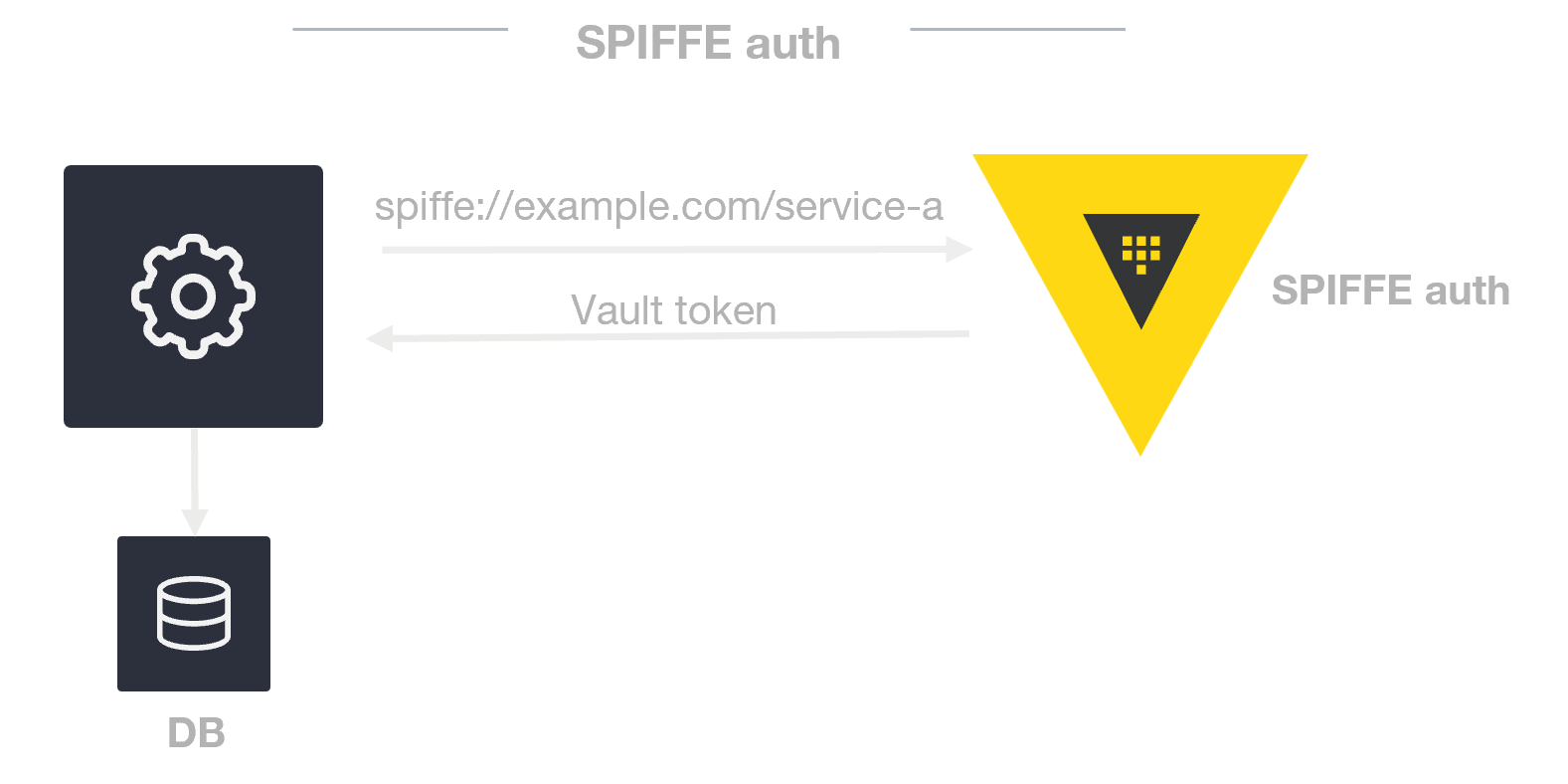
As autonomous AI systems and non-human actors like bots, robotic systems, and LLM-powered agents become more prevalent, traditional identity frameworks—built for human users with static passwords or API keys—no longer suffice. These dynamic, ephemeral entities need a robust way to prove who they are, establish trust, and communicate securely across diverse environments. Enter SPIFFE (Secure Production Identity Framework For Everyone), an open standard originally designed for cloud-native microservices but perfectly suited for securing non-human identities. This guide walks you through the process of implementing SPIFFE to secure your agentic AI systems.
What You Need
- Basic understanding of cloud-native architectures and microservices
- Access to a SPIFFE-compatible identity provider (e.g., SPIRE, the open-source implementation)
- A working environment where you can deploy workloads (e.g., Kubernetes, VMs, or bare metal)
- Familiarity with mutual TLS (mTLS) and zero-trust concepts
- Root or administrative permissions to install and configure the identity provider
Step-by-Step Guide
Step 1: Understand SPIFFE's Core Components
Before diving in, grasp the three foundational concepts:
- SPIFFE ID: A unique, URI-based identifier tied to a workload (e.g.,
spiffe://example.org/ai-agent/monitoring). - Workload Identity: Each process or service gets its own cryptographic identity, decoupled from human users.
- Dynamic Credentialing: Identities are automatically issued, rotated, and revoked—no long-lived secrets needed.
This step ensures you know what you're building toward.
Step 2: Set Up a SPIFFE Identity Provider
Install and configure a SPIFFE-compatible identity provider like SPIRE. For example, in a Kubernetes cluster:
- Deploy SPIRE server as a Deployment or StatefulSet.
- Configure trust domain (e.g.,
example.org) and registration entries. - Deploy SPIRE agents as DaemonSets on each node.
- Verify agent-to-server attestation using node attestation plugins (e.g., k8s PSAT).
The identity provider acts as the central authority that issues and validates SPIFFE IDs for all workloads.
Step 3: Issue SPIFFE IDs to Your AI Agents
With SPIRE running, register each AI agent workload to receive a unique SPIFFE ID. Use the SPIRE CLI or API:
- Define a registration entry that matches your agent's selector (e.g., container image, pod label, or unix UID).
- Assign a SPIFFE ID in the format
spiffe://<trust-domain>/<path>—for example,spiffe://smartcity.org/ai-agent/traffic-controller. - Set optional attributes like TTL for credential rotation and parent ID if using delegation.
- Test by having the agent call the SPIRE agent's workload API to fetch its SVID (SPIFFE Verifiable Identity Document).
Each agent now has a cryptographically verifiable identity that can be used for mutual authentication.
Step 4: Implement Mutual TLS for Zero-Trust Communication
To ensure every interaction between AI agents is authenticated and encrypted, enable mTLS using the SPIFFE IDs:
- Configure your service mesh (e.g., Istio, Linkerd) or application-level TLS library to use SPIFFE certificates.
- Set up the SPIRE agent to deliver SVIDs to workloads via the Workload API (e.g., Unix Domain Socket).
- In your AI agent's code, load the SVID and its private key from the socket to establish mTLS connections.
- Validate the peer's SPIFFE ID to enforce authorization policies (e.g., only allow agents with
spiffe://smartcity.org/ai-agent/emergencyto access emergency systems).
This step implements the zero-trust principle: no entity is trusted by default, and every communication is verified.
Step 5: Federate Trust Across Different Domains
Agentic AI systems often operate across multiple clouds, organizations, or networks. SPIFFE's federation model allows identities to be validated across trust domains:
- Create a bundle endpoint for each trust domain (e.g.,
smartcity.organdgovt-provider.org). - Configure each SPIRE server to fetch the other domain's bundle (root CA).
- When an agent from domain A talks to an agent from domain B, it presents its SPIFFE ID signed by its own domain's CA. The receiving side validates the certificate chain against the fetched bundle.
- Optionally, map foreign SPIFFE IDs to local authorization roles.
Federation enables secure collaboration between agents from different environments without shared secrets.
Step 6: Automate the Identity Lifecycle
AI agents are ephemeral—spun up and down quickly. SPIFFE supports this by design. Automate the identity lifecycle:
- Set short TTL values (e.g., 1 hour) for SVIDs so they expire soon after the agent terminates.
- Use SPIRE's automatic rotation: agents fetch renewed SVIDs before expiration, without manual intervention.
- Configure revocation: if an agent is compromised, delete its registration entry; SPIRE will no longer issue new SVIDs for that selector.
- Monitor SVID issuance and rotation logs to detect anomalies.
Dynamic credentialing reduces the attack surface and operational overhead of managing static secrets.
Tips for Success
- Start small: pilot SPIFFE with one non-critical AI agent before rolling out to your entire fleet.
- Use short-lived credentials: the shorter the TTL, the lower the risk if an SVID is leaked. Balance with performance overhead from frequent rotations.
- Add authorization on top: SPIFFE provides identity, not authorization. Combine it with tools like OPA or custom policy engines to control what each agent can do.
- Plan for key rotation: even though SPIFFE handles workload identities, ensure your SPIRE deployment's CA certificates are rotated securely.
- Monitor and audit: log all SPIFFE ID issuances and authentication events. This helps in forensic analysis and compliance.
- Leverage existing integrations: many service meshes and cloud platforms have built-in SPIFFE support, reducing integration effort.
By following these steps, you can secure the identity of your agentic AI systems and other non-human actors with a battle-tested, open standard. SPIFFE enables verifiable identity, zero-trust communication, federation, and automated lifecycle management—all critical for modern, dynamic AI environments.
Related Articles
- Intel Wildcat Lake Processors Debut in Affordable Laptops Starting at $450
- 7-Eleven’s Summer Slurpee Deal: How to Enjoy $1 Frozen Drinks and More
- AMD’s Lemonade: 10 Key Insights Into Running Local AI Models
- How Intel Could Become Apple's Chipmaker: A Guide to the Partnership and Its Impact
- Updated Minimum Requirements for NVIDIA GPU Compilation in Rust 1.97
- Rust 1.97 Drops Support for Pre-Volta GPUs and Older CUDA Drivers: New Baseline for NVIDIA PTX Compilation
- Demonstrating Rowhammer Attacks on NVIDIA GPUs: A Step-by-Step Guide for Security Researchers
- SPIFFE Identity Standard Becomes Critical for Securing Autonomous AI Agents